Microsoft Sentinel
CrowdSec Sentinel Playbook allows you to enrich your Microsoft Sentinel security monitoring with CrowdSec's CTI intelligence. This integration enables you to detect and create alerts when authentication or other security events involve malicious or suspicious IP addresses.
This documentation will guide you through deploying the playbook, configuring the necessary permissions, and setting up an example analytics rule to detect threats using CrowdSec's CTI API.
Prerequisites: Get Your CTI API Key
Before configuring the Logic App, you'll need a CrowdSec CTI API key.
For detailed instructions on obtaining your API key, check out the CTI API Getting Started guide.
If you need higher quotas for your CTI API key to handle larger volumes of queries, please contact us to discuss custom quotas.
Deployment
The deployment uses an Azure Resource Manager template that can be deployed directly to your Azure environment.
Click the "Deploy to Azure" button above to begin the deployment process.
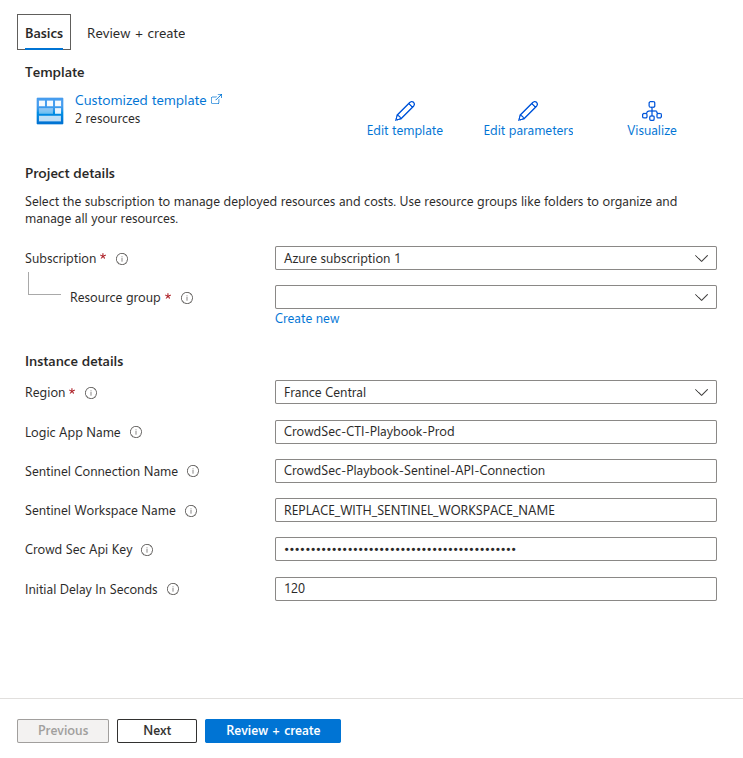
Configuring Permissions
After deployment, you need to configure the appropriate permissions for the Logic App and Azure Sentinel to work together:
1. Grant IAM Roles
In your resource group, navigate to IAM (Identity and Access Management) and grant the following roles:
- "Microsoft Sentinel Contributor" role to the Logic App
- "Microsoft Sentinel Automation Contributor" role to "Azure Security Insights"
2. Configure API Connection
Allow the Azure Sentinel API Connection by navigating to:
- General settings → Edit API Connection
Example Usage
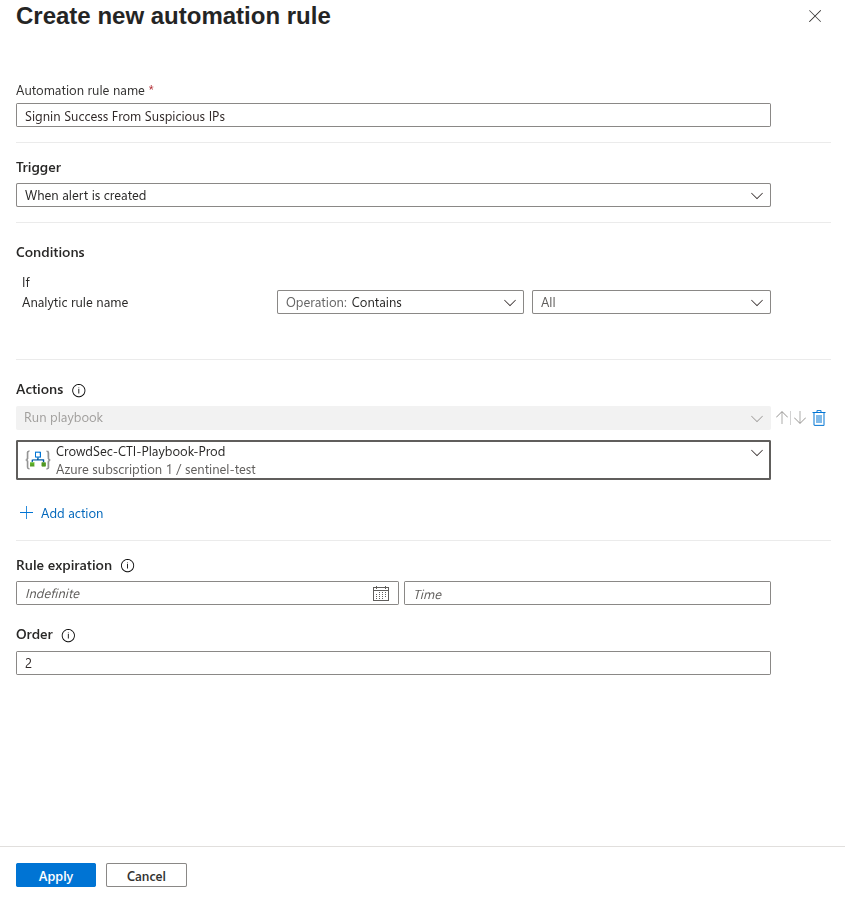
In this example, we'll create an Analytics Rule to trigger on successful EntraID authentications, and use an Automation Rule to trigger our Logic App.
The Logic App will leverage CrowdSec's CTI to create an Alert if the authentication came from a malicious or suspicious IP address.
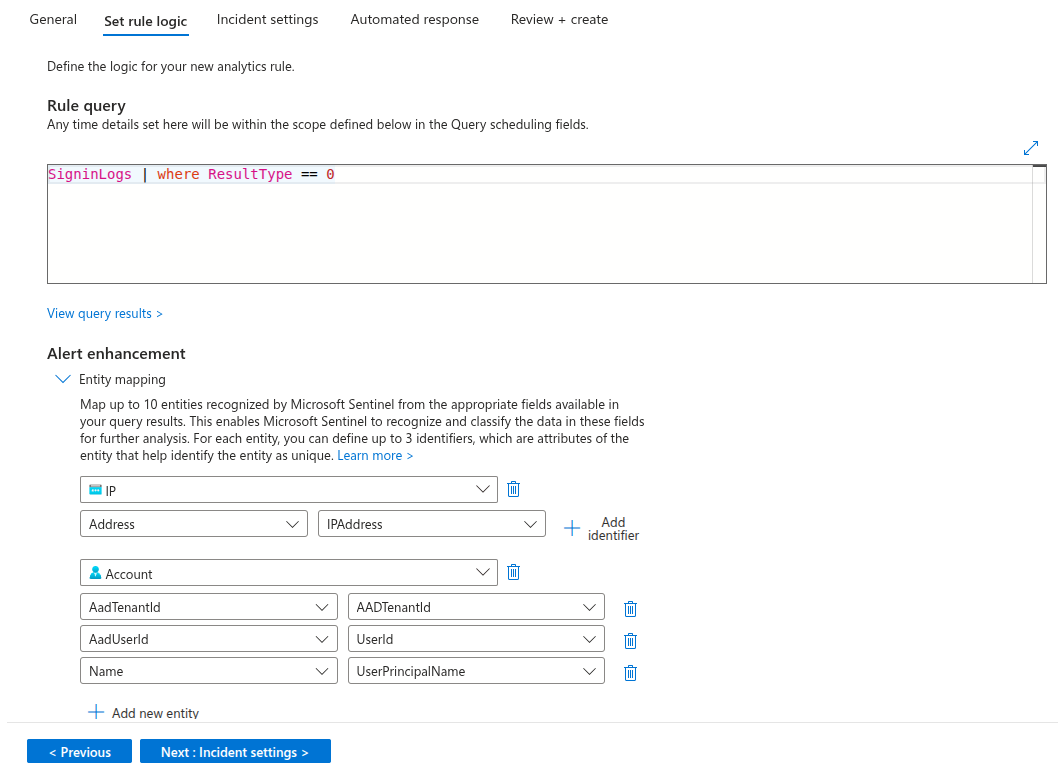
Step 1: Create Analytics Rule
Create an analytics rule that will detect the events you want to monitor. In this example, we're monitoring successful EntraID authentication events.
Step 2: Create Automation Rule
Create an automation rule that will trigger the Logic App when your analytics rule conditions are met.
Step 3: Test the Integration
To test the integration:
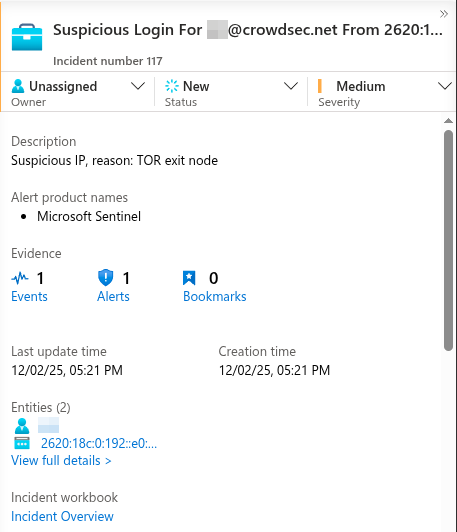
- Initiate a connection from a known malicious IP address (such as a Tor exit node)
- Wait for your analytics rule to trigger
- Watch for alerts to appear in the Azure Sentinel dashboard
The integration combines Microsoft Sentinel's detection capabilities with CrowdSec's threat intelligence database to provide enhanced security monitoring and automated threat detection.