Splunk SIEM App
The Splunk SIEM App enables IP lookup from CrowdSec CTI API via custom command called cssmoke. It provides information about the IP, such as what kind of attacks it has been participant of as seen by CrowdSec's network. It also includes enrichment by CrowdSec like background noise score, aggressivity over time etc.
Installation
The Splunk SIEM App is available in Splunkbase. You can download it from here.
Usage
-
Get your API key for CrowdSec CTI API by following this guide.
-
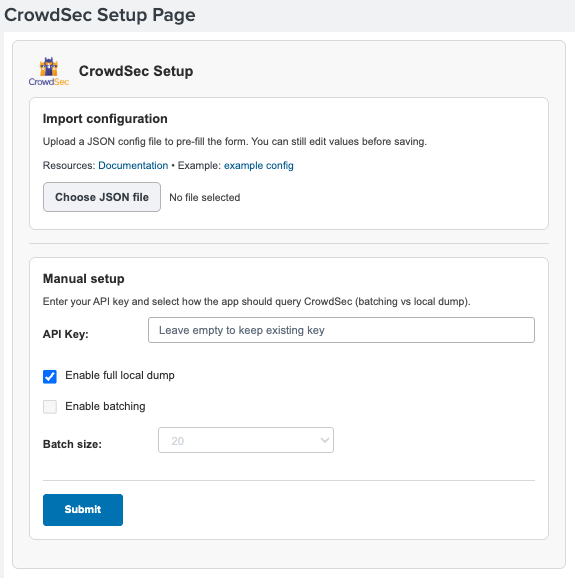
Complete the App setup by providing your API Key
The batching option cannot be used with free CTI API keys. Batching allows to query up to 100 IPs at a time and is needed for any larger scale enrichments.
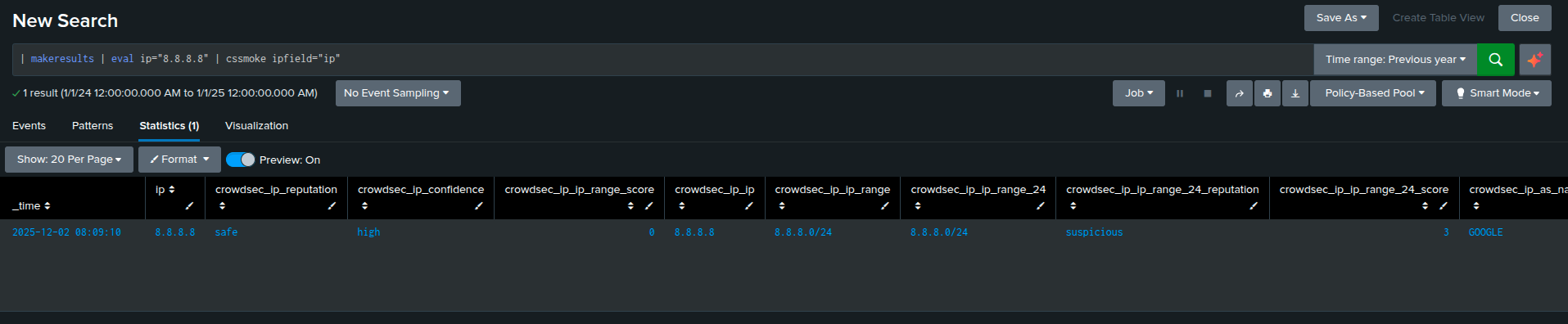
- Test it by running the query
| makeresults | eval ip="8.8.8.8" | cssmoke ipfield="ip"
Fields filtering
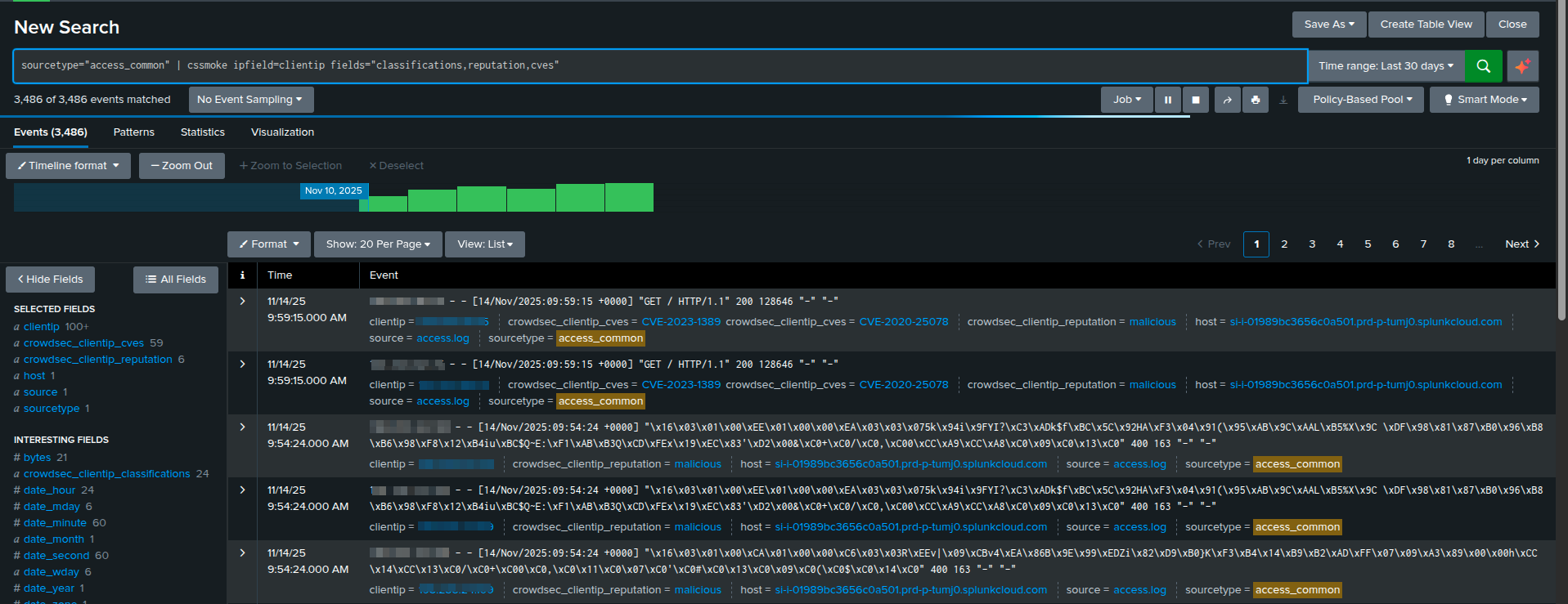
cssmoke supports a fields argument to restrict outputed fields, separated by commas.
cssmoke ipfield="ip" fields="confidence,reputation,cves"
Display profiles
Profiles are optional presets that automatically select a predefined set of CrowdSec output fields, so results stay consistent and you don’t have to manually maintain long ipfield= lists.
-
base: returnsip,reputation,confidence,as_num,as_name,location,classifications. -
anonymous: (aliases:vpnproxy): returnsip,reputation,proxy_or_vpn,classifications. -
iprange: returnsip,ip_range,ip_range_24,ip_range_24_score.
You can provide multiple profile in the same command:
| cssmoke ipfield="ip" profile="anonymous,iprange"
The output will contains the columns for the anonymous and the iprange profiles.
Multiple IP fields
All output fields have the prefix crowdsec_{field}_. For event with multiple IPs (ie. ipsrc, ipdst), the outputs will be in crowdsec_ipsrc_reputation, crowdsec_ipdst_reputation etc.
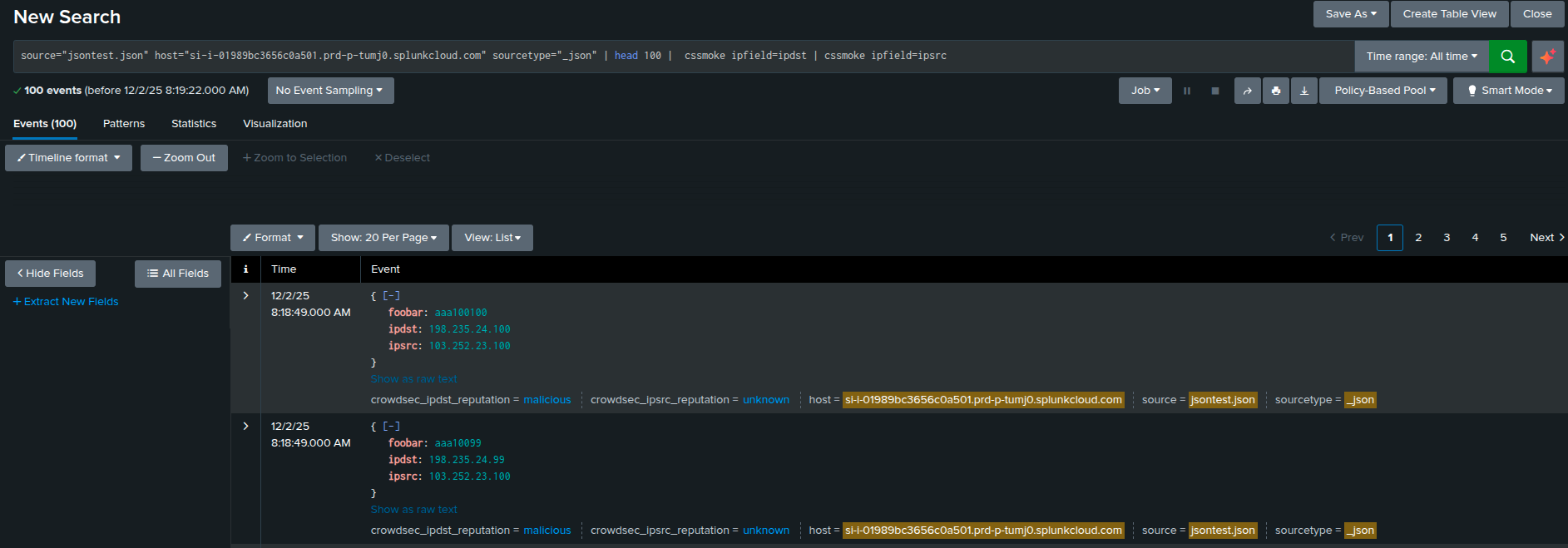
Fields containing multiple IP values aren't supported.
Enriched Data
The following fields are automatically enriched using CrowdSec intelligence:
(Please refer to the CrowdSec CTI API documentation for more details on each field.)
All output fields are prefixed with crowdsec_{field}_.
Reputation & Classification
reputation: IP reputationconfidence: Confidence levelip_range_score: The malevolence score of the IP range the IP belongs toip: Original IP addressip_range: IP rangeip_range_24: /24 range of the IP addressip_range_24_reputation: Reputation of the rangeip_range_24_score: Score for the rangeas_name: Autonomous system (AS) nameas_num: Autonomous system (AS) numberfalse_positives: Historical false positivesclassifications: Classifications associated with the IPproxy_or_vpn: Either the IP is a proxy or VPN
Geolocation
country: Countrycity: Citylatitude: Latitudelongitude: Longitudereverse_dns: Reverse DNS result
Behavioral & Threat Intelligence
behaviors: A list of the attack categories for which the IP was reportedmitre_techniques: A list of Mitre techniques associated with the IPcves: A list of CVEs for which the IP has been reported forattack_details: A more exhaustive list of the scenarios for which a given IP was reportedtarget_countries: The top 10 countries targeted by the IPbackground_noise: The level of background noise of an IP address is an indicator of its internet activity intensitybackground_noise_score: CrowdSec intelligence calculated scorereferences: A list of the CrowdSec Blockists the IP belongs to
Activity History
first_seen: Date of the first time this IP was reportedlast_seen: Date of the last time this IP was reportedfull_age: Delta in days between first seen and todaydays_age: Delta in days between first and last seen timestamps
Threat Scores Over Time
Overall
overall_aggressivenessoverall_threatoverall_trustoverall_anomalyoverall_total
Last Day
last_day_aggressivenesslast_day_threatlast_day_trustlast_day_anomalylast_day_total
Last Week
last_week_aggressivenesslast_week_threatlast_week_trustlast_week_anomalylast_week_total
Last Month
last_month_aggressivenesslast_month_threatlast_month_trustlast_month_anomalylast_month_total
Offline Replication
Offline replication lets the app perform CrowdSec CTI lookups without calling the live CTI API for every search. When enabled, the app periodically (every 24h) downloads the CrowdSec CTI database locally (MMDB format) and queries that local database instead of sending requests to the API.
Because the database is an MMDB, lookups can also return network-level intelligence: if there is no exact match for an IP address but reputation data exists for its containing /24 network, the result can still include that /24 information.
The first time you setup the local dump feature, you need to download manually the CrowdSec lookup databases (they will be updated every 24h automatically after that):
| cssmokedownload
After that, you can look up IPs using the local databases.
If an IP address is not found in the local CrowdSec CTI database, the app automatically falls back to the bundled CIRCL (circl.lu) MMDB dataset to enrich the event with at least country and AS/ASN information. This ensures that Offline replication always returns basic geolocation and network owner context, even when CrowdSec CTI has no match for a given IP.
Offline replication requires a CTI API key that has access to the dump endpoint.
You can use profile profile=debug to check the query_time and query_mode fields in the results to confirm whether lookups are done via local_dump or the live API.
The size of the downloaded local database is approximately 2.8 GB and may vary over time.
Configuration file
You can configure the CrowdSec app by uploading a JSON configuration file during the setup:
{
    "api_key": "YOUR_API_KEY_HERE",
    "batching": true|false,
    "batch_size": 20,
    "local_dump": true|false
}
api_key
CrowdSec CTI API key.
Local dump and live CTI API lookups are mutually exclusive (enable only one mode).
batching
Enable batching for live CTI API lookups.
batch_size
Batch size used when batching is enabled.
local_dump
Enable offline replication mode (use the downloaded lookup databases).
Lookup databases are download automatically every 24h.